Talk through the inspection. Walk away with the report.
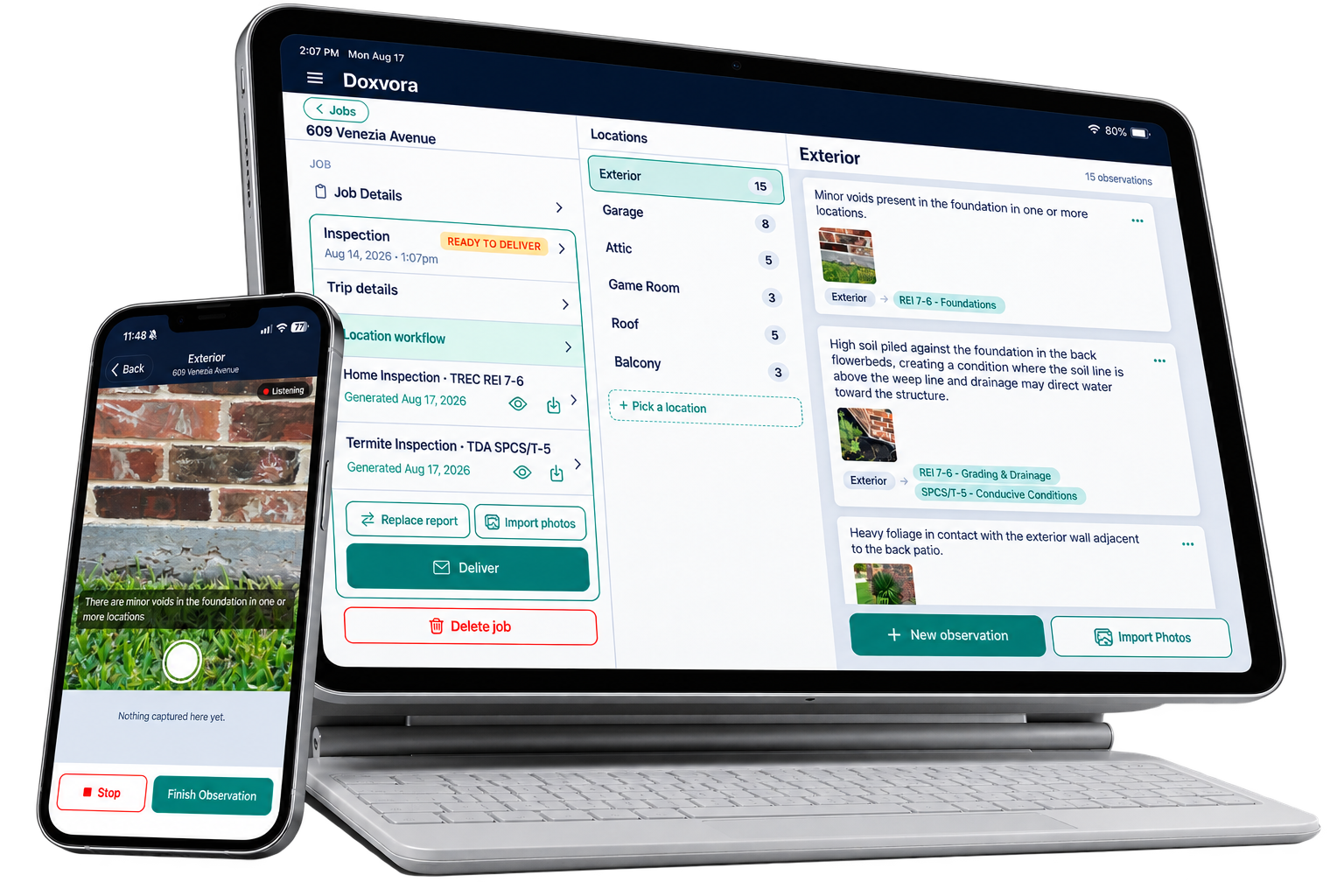
Doxvora is the iPhone and iPad app for licensed Texas inspectors. Say what you see, take photos while you speak, and each observation lands in its section on the State's form with the right photo attached. You finish before you leave the driveway. Report writing stops being part of the job.
The inspection is one job. The report is another.
The two or three hours on the property are the work you are licensed to do, and they are where all of your value shows up. The write-up afterward is a second job, and it is administrative. It takes real hours, and it is the one part of the day where your judgment is not the thing being used.
The way it goes now
You spend two or three hours on the property looking, testing, photographing and making notes. You leave knowing the condition of the property.
Then you sit down and do it a second time as paperwork, section by section, until what you already knew in the driveway exists in the form the State requires. Those hours discover nothing new about the house. What they buy you is the document, and the document is the deliverable, so it has to get built. The only question is whether building it should cost you a second block of hours.
The way it goes with Doxvora
You describe what you find the way you would say it to a partner standing next to you. It lands in the right section, with the photo you just took, written the way the report needs it written.
The second job takes care of itself. The hours it was taking are yours again, and you can put them into another inspection, into the parts of this house that deserve a longer look, or into your evening.
Capture. Clarify. Deliver.
Three things have to happen before a finished report exists. All three of them happen on the property.
Capture
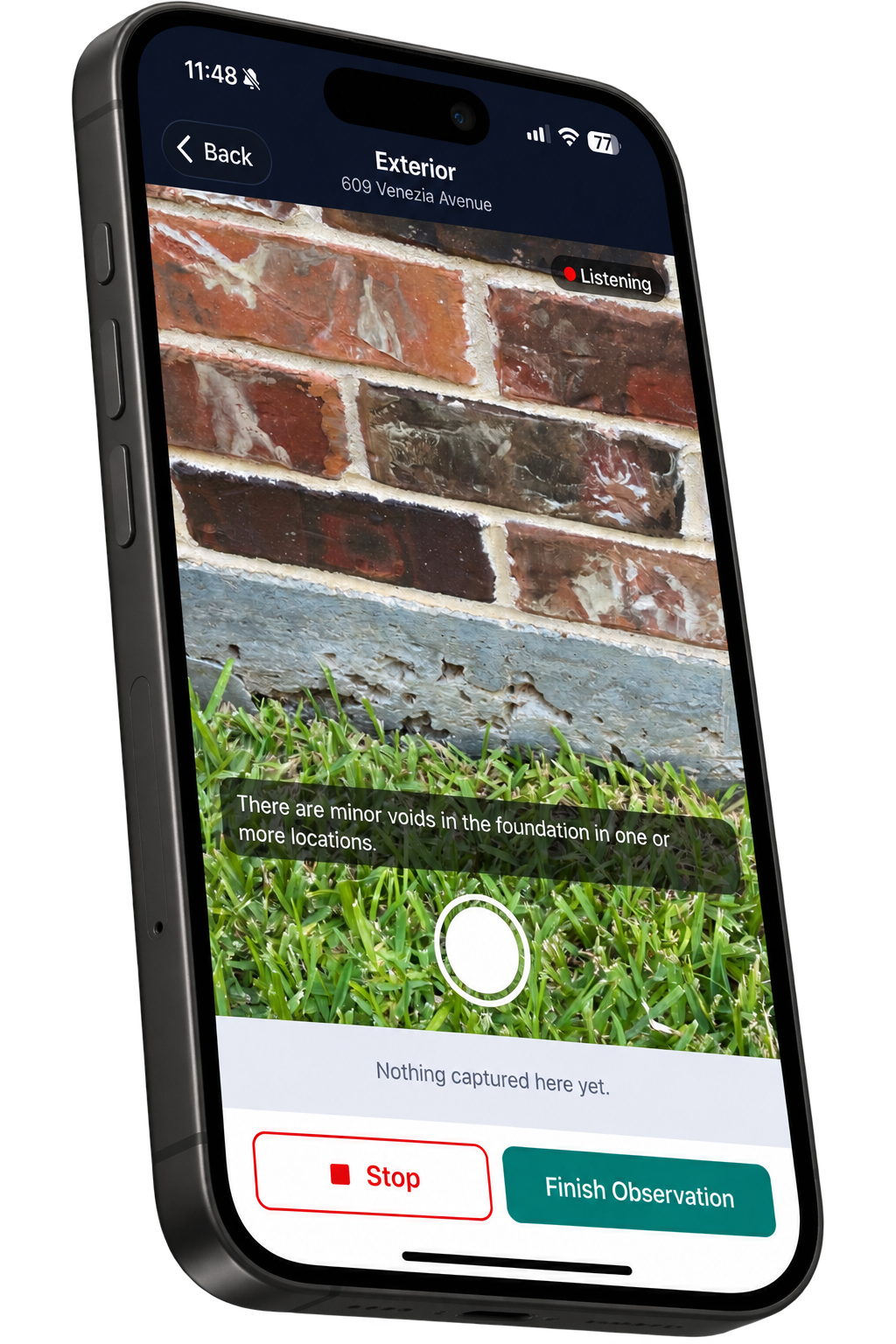
The field is hands-busy. You talk, you take pictures, and a photo attaches to whatever you were saying when the shutter fired.
Transcription runs on the phone, no audio is kept, and none of it needs a signal.
Clarify
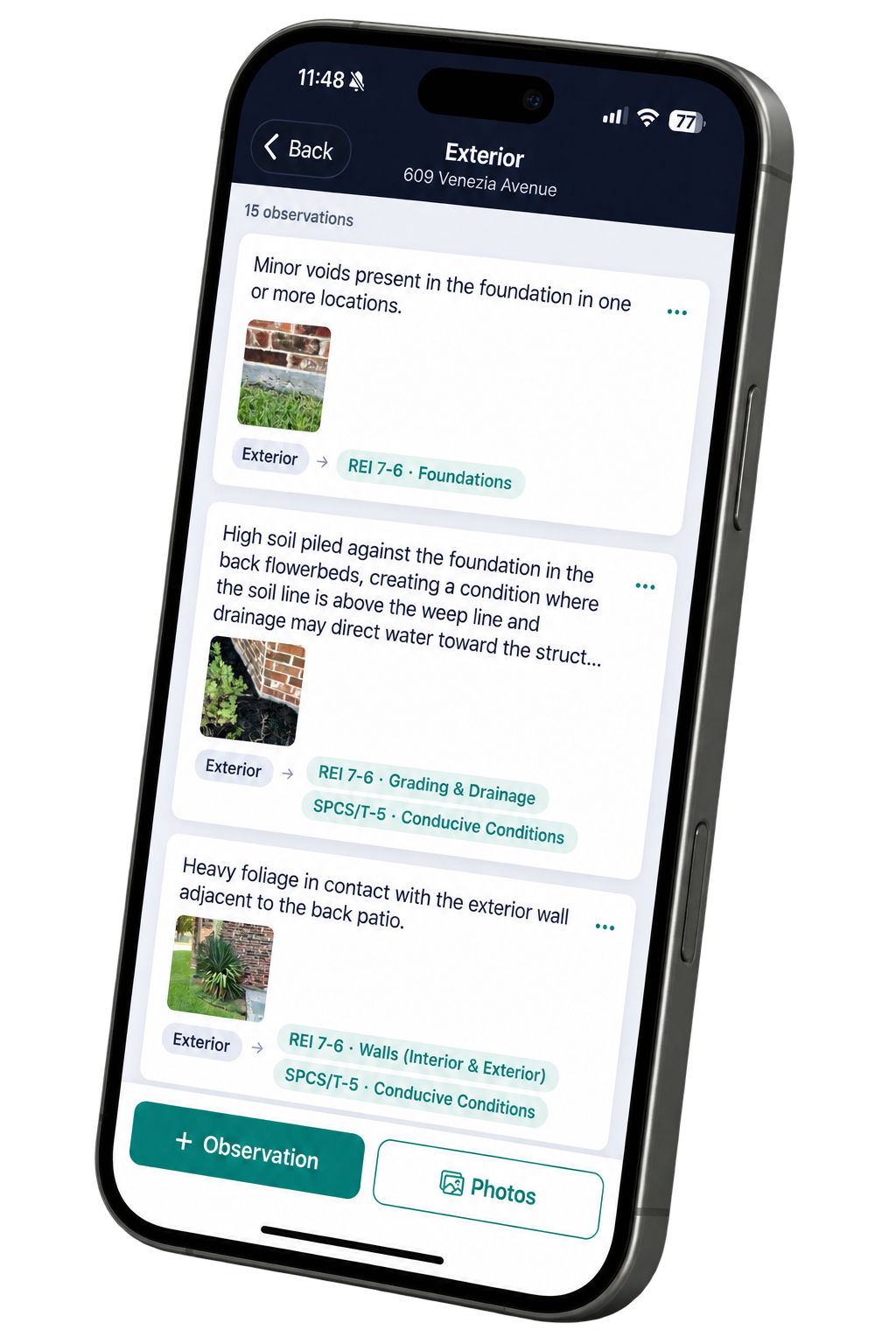
Doxvora reads what you said, separates it into the distinct things you found, and puts each one where the form requires it to go.
Then wrap up asks you one question at a time for anything you have not yet answered, so you catch the gap on the ladder rather than at the truck.
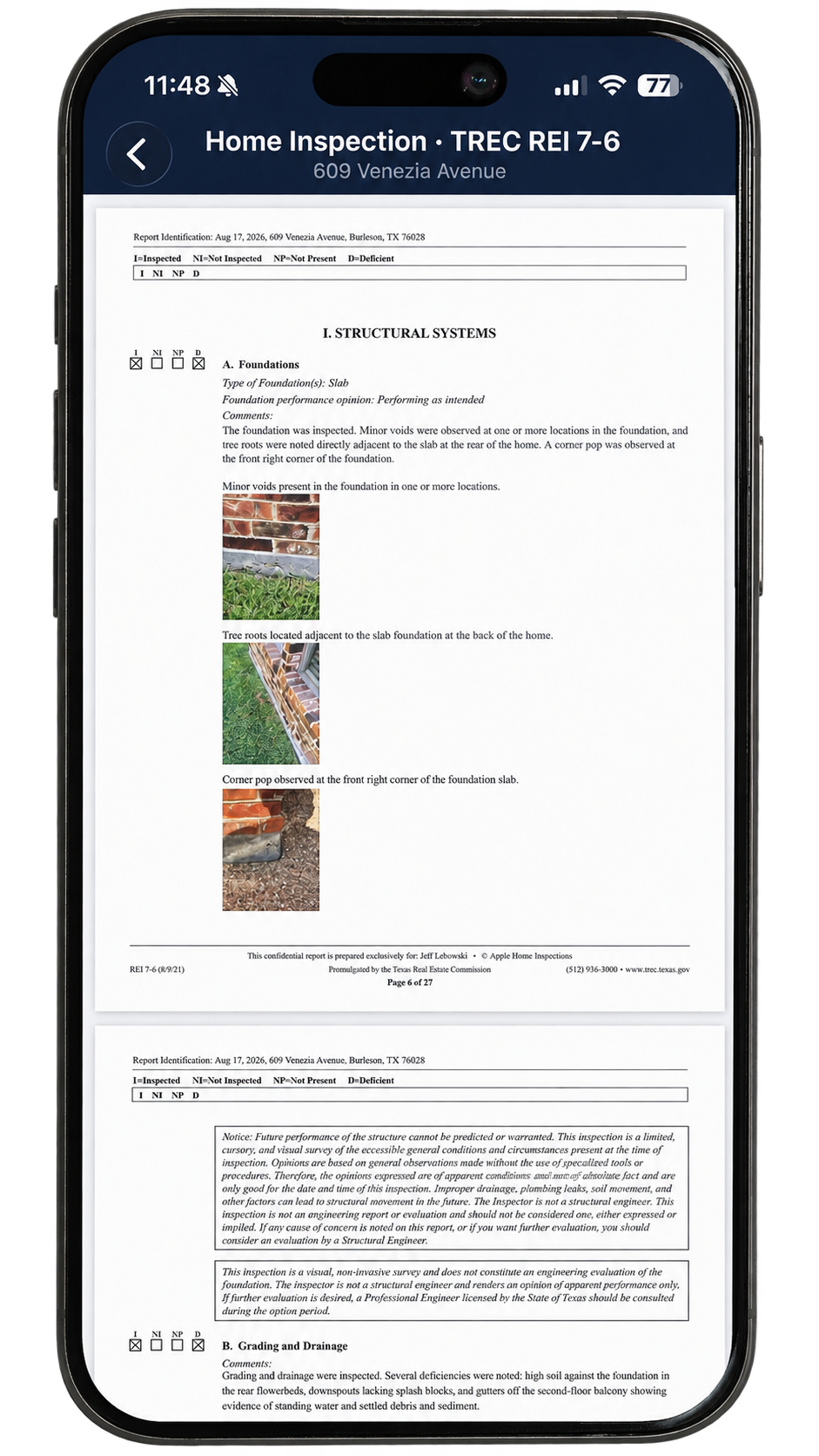
Deliver
One tap builds the report from what you recorded.
One more sends it to your client. Both taps happen in the driveway.
Work the house the way you work the house.
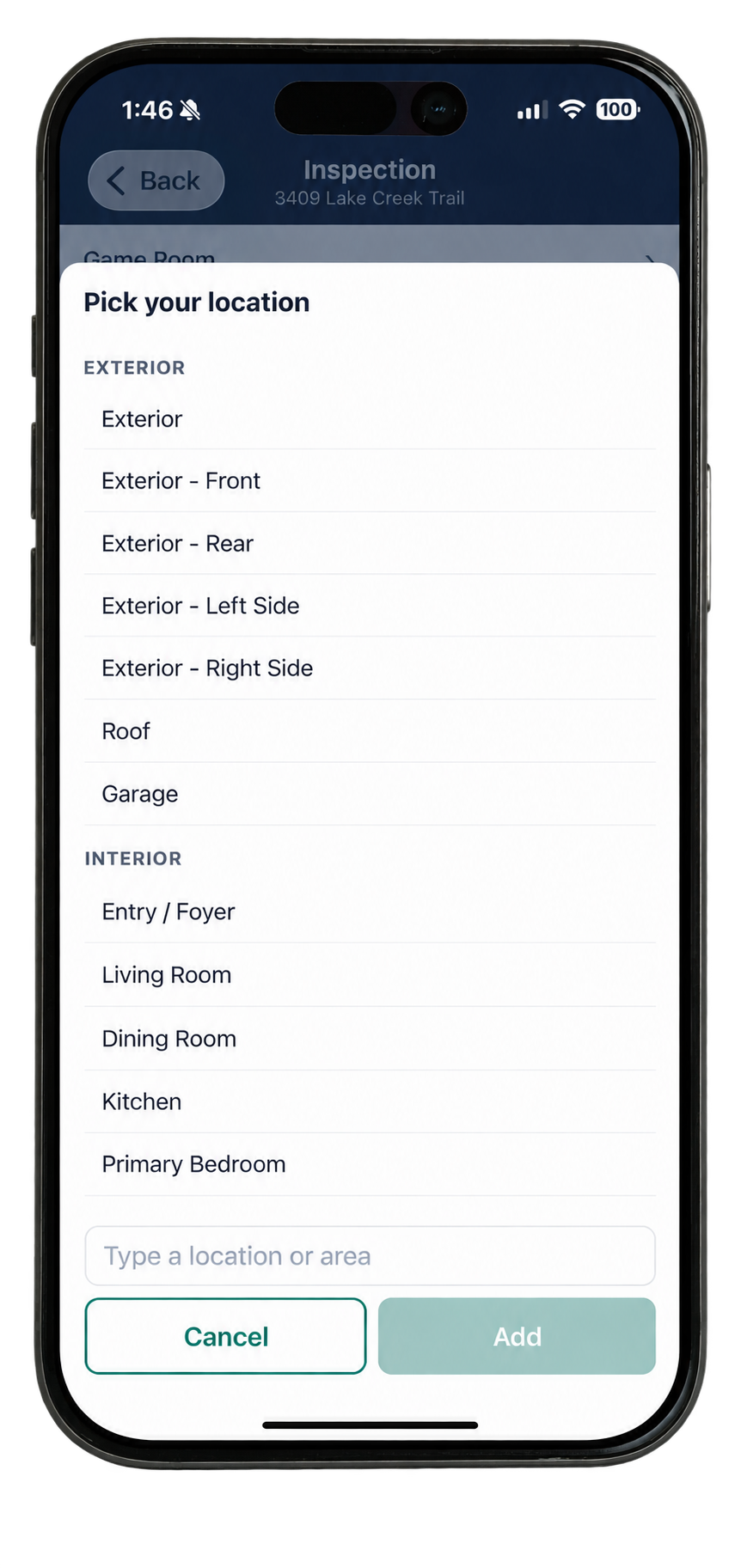
Doxvora has no prescribed route. Start on the exterior, start in the attic, start in the kitchen. You choose how you want to work through the property, and it makes no difference to the app.
You name the places you are working in and move between them in whatever order the property calls for. What you say in each one is filed where it belongs regardless of when you said it. Nothing is out of sequence, because there is no sequence.
One inspection. Every report.
A home inspection and a termite inspection are separate services and separate reports. They are not separate trips. If you hold both licenses you can take care of both while you are on the property once, and you never have to decide which one you are working on.
You are at the back of the house and you note that the soil in the flowerbeds is piled above the weep line. That is a grading and drainage item on the REI 7-6 and a conducive condition on the SPCS/T-5. You describe the property, and each report takes what belongs to it.
Wrap up makes sure the report is complete.
One question per screen, and only the ones you have not already answered. Every opinion, reading and material the State’s form requires of you gets addressed before you leave the property.
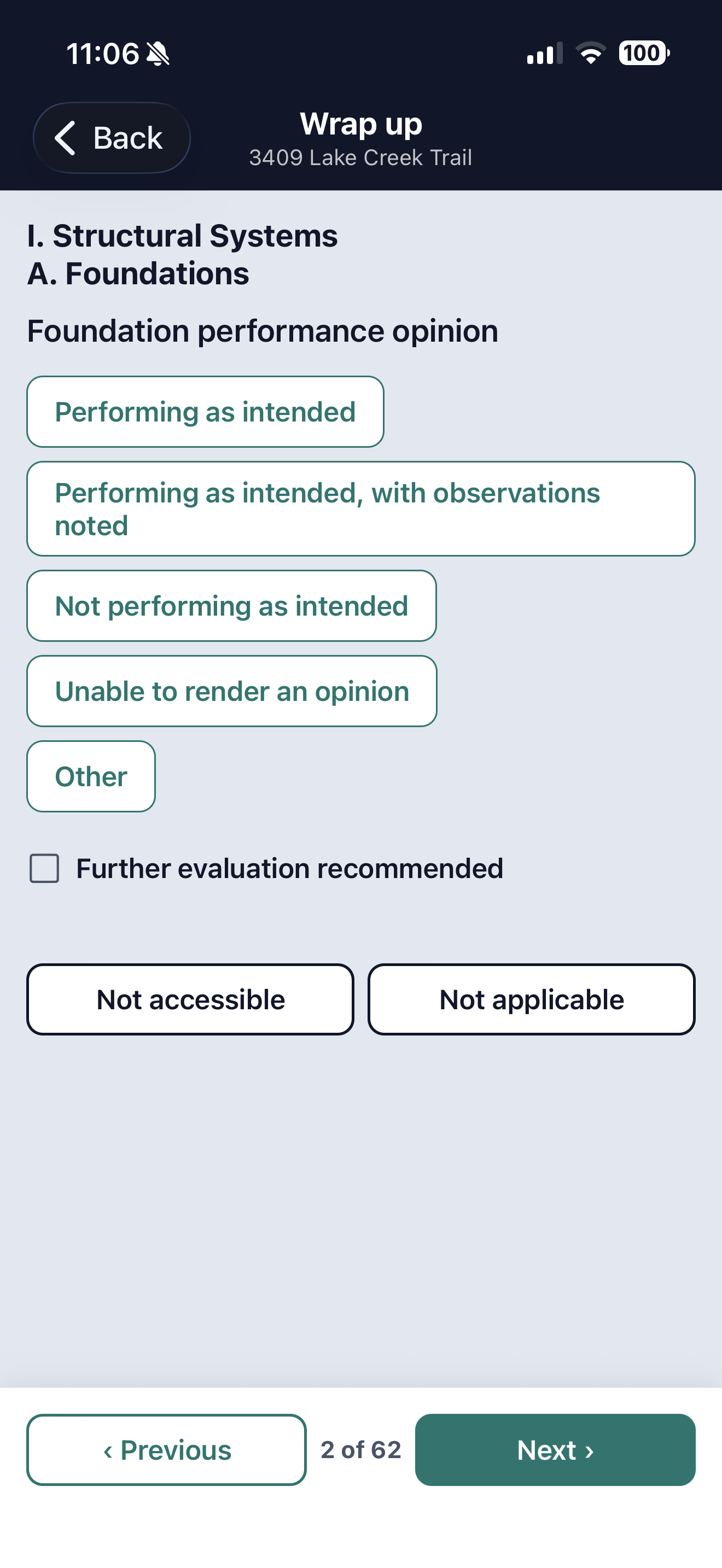
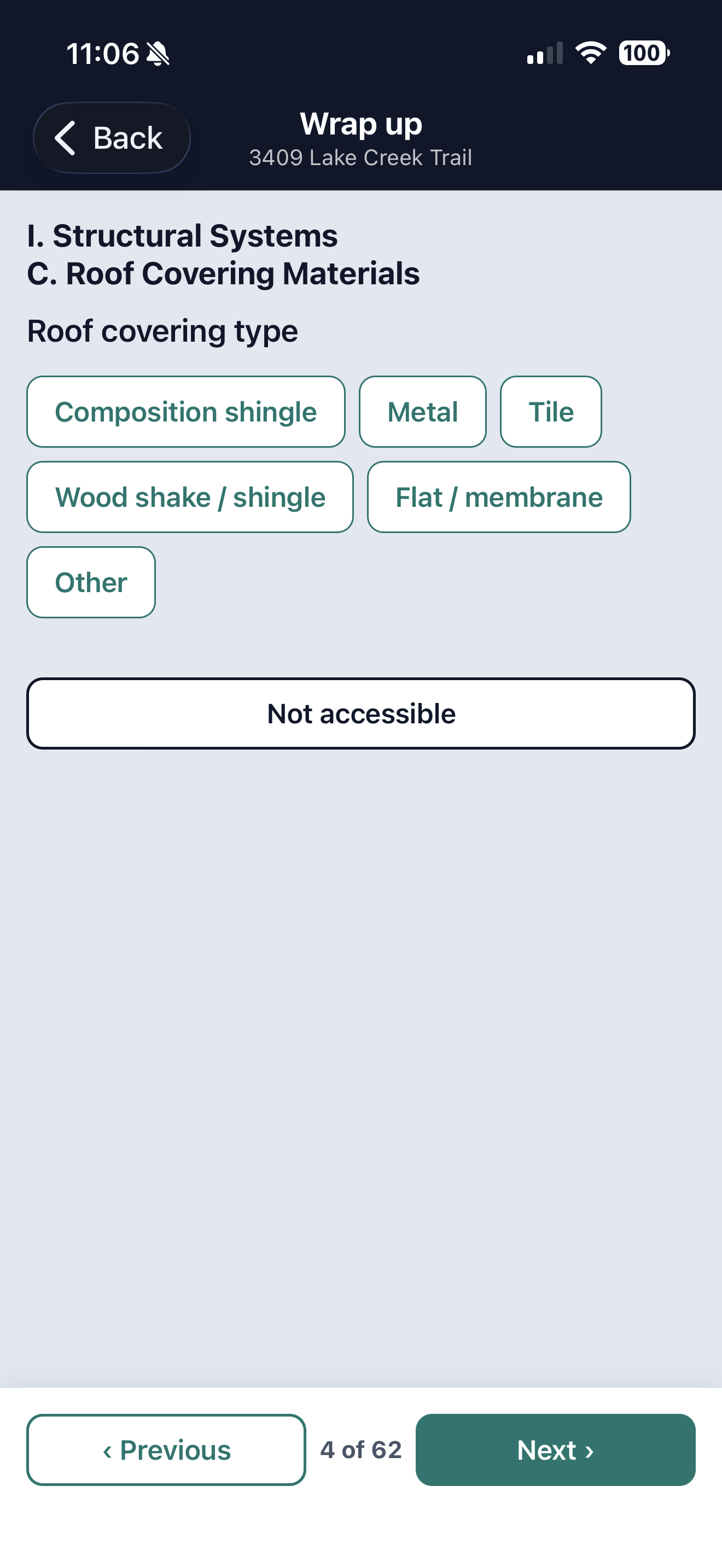
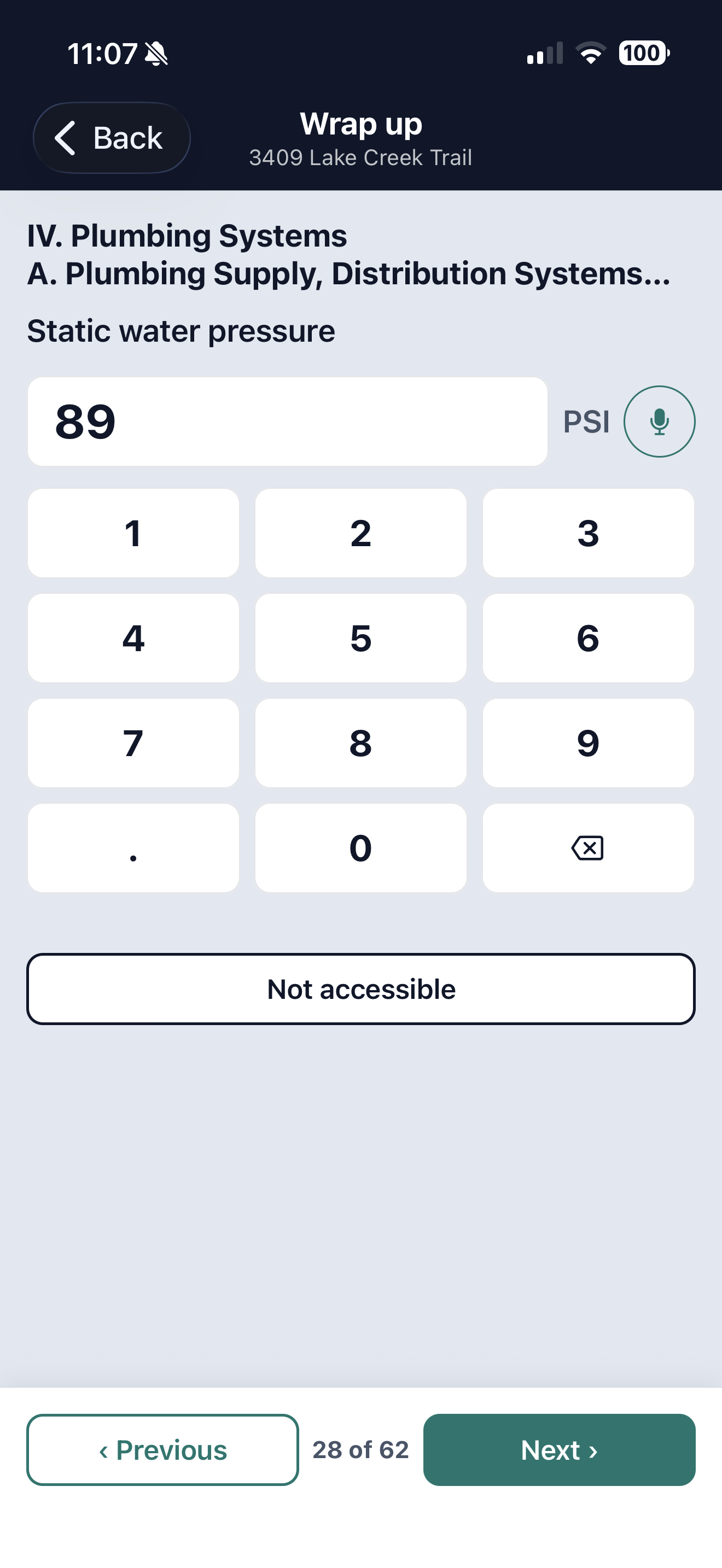
The report is the State's form, page for page. The cover is yours.
Whatever form your service requires is the form Doxvora produces, reproduced exactly as the State prescribes it, because that is the document you are legally required to hand over.
Around it go your cover, your logo, your license numbers, your memberships and your signature. Doxvora also builds the deficiency summary your client reads first, which is our page rather than the State's, and it collects what you called deficient without ranking any of it.
It never writes an observation you did not make.
Doxvora drafts. You sign.
It will finish the sentence you started and put it where it belongs, and it will not add a fact about the property you did not state, name a cause you did not give, or grade anything. The four marks on every section are yours to set, and they are the only vocabulary the report uses.
No audio is saved, and your photographs are never sent to an AI service.
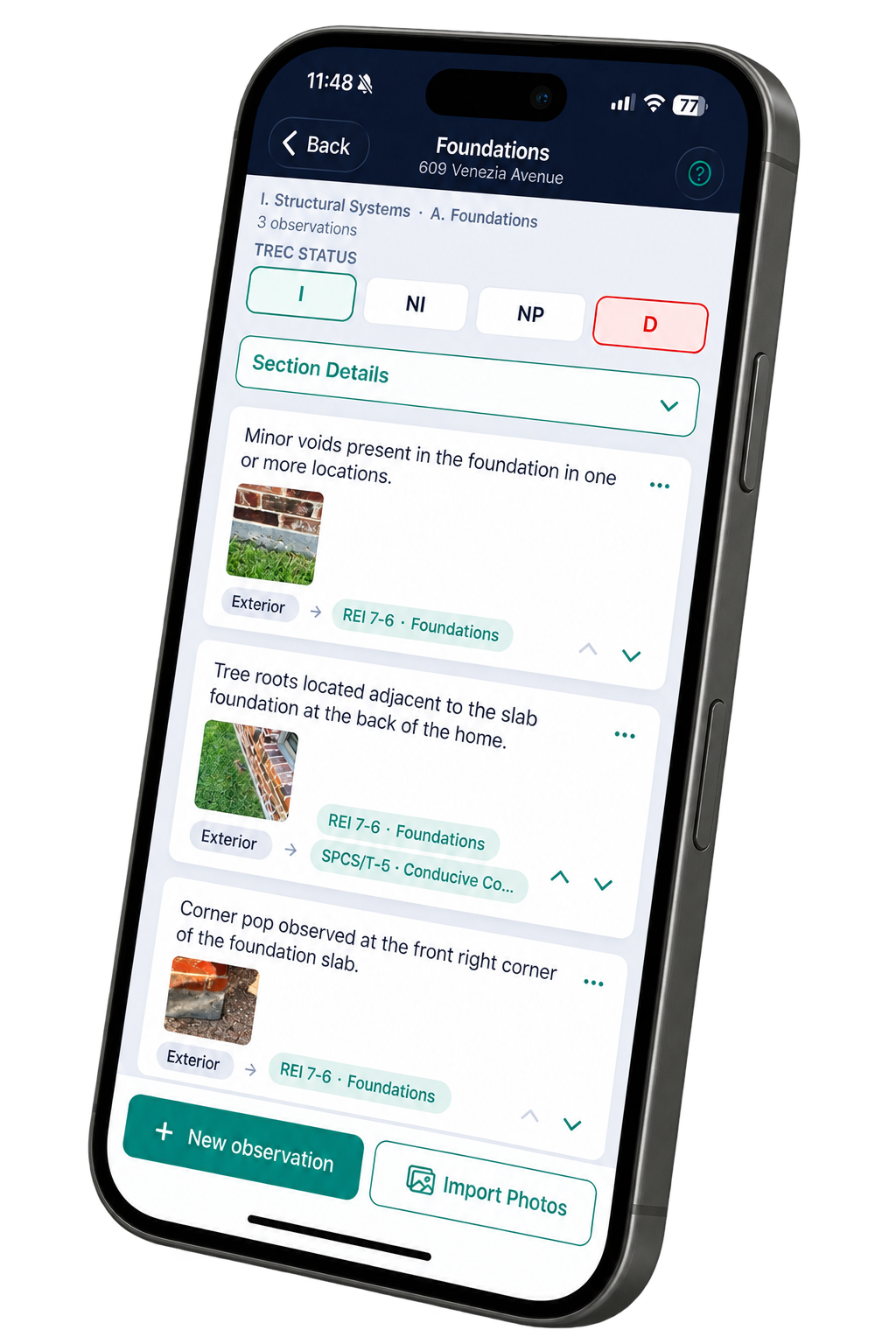
Your words and your photographs stay under your hand.
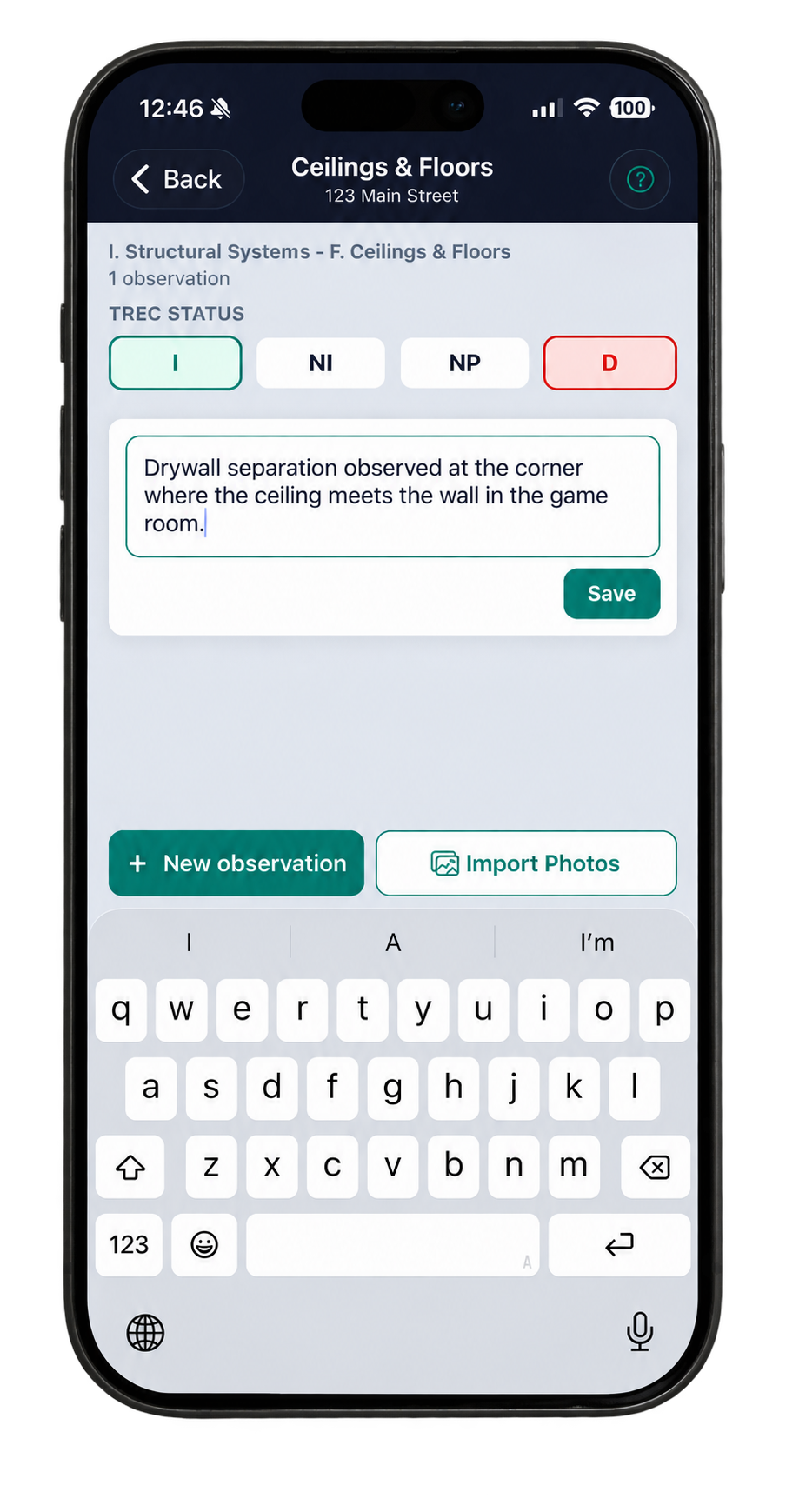
The observation comes from what you said, so it is already in your words. If it does not read the way you want it to read, open it and change it. You set the four TREC marks yourself, and nothing leaves that you have not looked at.
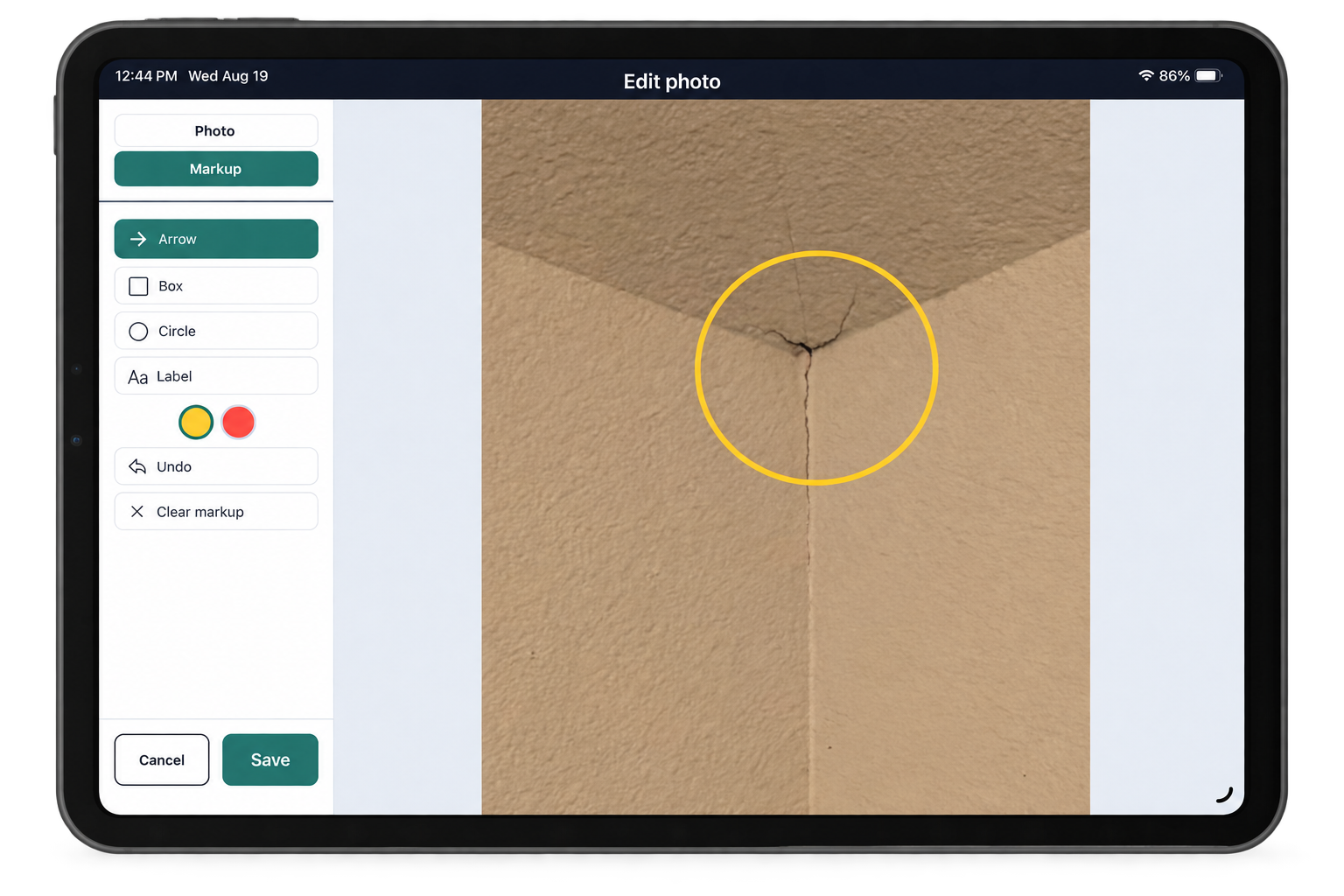
Your photographs are the same. Circle the crack, put an arrow on the flashing, add a label, and what your client sees is what you marked.
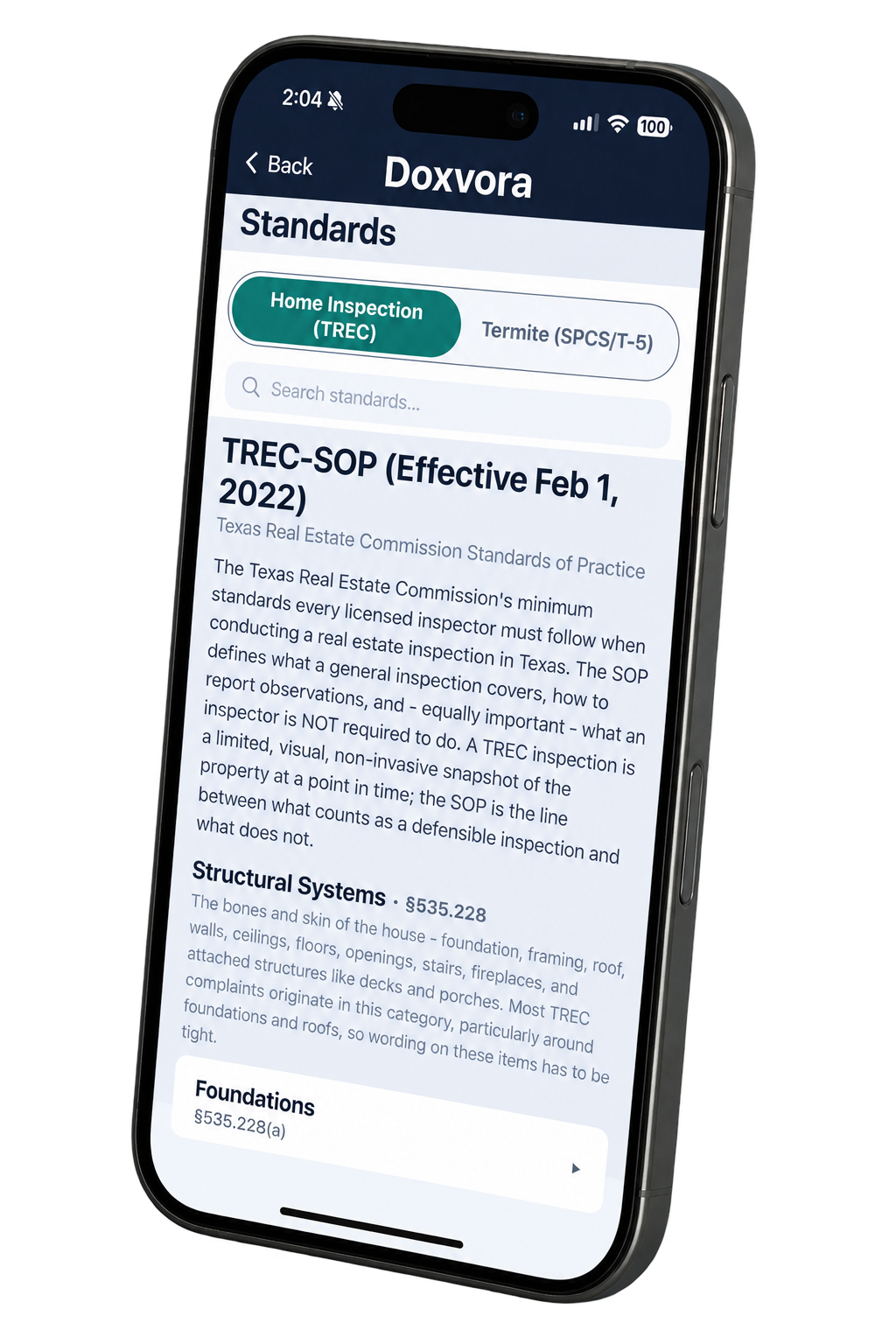
The Standards are in your pocket.
Both standards are in the app, TREC's and the SPCS/T-5's, searchable while you are standing in front of the thing you are unsure about.
The same reference sits behind the question mark on every section of the form, so what the standard asks you to look for is one tap from where you are working rather than in a binder in the truck.
Your first five reports are on us.
Nothing is billed until a finished report leaves your hands.
See pricing